The newly announced xTool C1 combines a scanner, full-colour printer and cutting machine in one desktop unit. Could this be the biggest challenge to Brother ScanNCut’s distinctive place in the craft-cutting market?
20 October 2026
For more than a decade, Brother ScanNCut has offered something that sets it apart from many other electronic cutting machines: a built-in scanner. Being able to place a stamped image, drawing or patterned paper directly into a machine, scan it and cut around the design has made ScanNCut particularly appealing to papercrafters.
Now there’s a new contender – the xTool C1 Color Cutter
The xTool C1 Color Cutter, officially announced on 20 October 2026, combines scanning, full-colour inkjet printing and blade cutting in one machine.
And that’s what makes this launch particularly interesting.
While manufacturers have continued to develop their cutting machines, the xTool C1 approaches the process from a different direction. Instead of concentrating entirely on cutting, it brings several stages of the creative process together.
But can it really challenge ScanNCut?
What is the xTool C1?
The xTool C1 is a desktop digital craft machine incorporating three main functions:
- Scanning: A built-in CIS scanner previews materials, captures artwork and helps position cutting designs.
- Printing: An integrated CMYK inkjet printer produces full-colour images on compatible materials.
- Cutting: Interchangeable cutting tools handle a range of craft materials.
xTool also promotes automatic contour extraction, material nesting, QR-code-assisted cutting settings and integrated print-and-cut without registration marks.
The announced UK starting price is £399, with reservations opening on 20 October and final payments and shipping scheduled to begin on 5 November 2026.
These are the manufacturer’s launch specifications. At the time of writing, we have not independently tested the C1.
Why is this potentially important for ScanNCut owners?
The scanner has always been one of ScanNCut’s biggest attractions.
Rather than needing to trace artwork manually or work through a separate design program, crafters can scan an image and create cutting lines using the machine itself.
For stampers, this is particularly useful because it reduces the need to purchase matching dies for every stamp.
The xTool C1 appears to offer a similar starting point: place existing artwork into the machine, scan it and use the resulting image to prepare cutting shapes.
However, it goes a step further by incorporating a colour printer.
That’s a significant distinction.
A crafter could potentially design a sheet of decorative elements, print it and cut the individual pieces without moving the material between two machines. For cardmaking, scrapbooking, journalling and sticker production, that could be a substantial convenience.
ScanNCut versus xTool C1: The important differences
| Feature | Brother ScanNCut DX | xTool C1 |
|---|---|---|
| Built-in scanner | Yes | Yes |
| Full-colour inkjet printer | No | Yes |
| Scan existing artwork | Yes | Yes, according to xTool |
| Automatic contour extraction | Yes, through supported ScanNCut functions | Advertised |
| Print and cut | Uses an external printer | Integrated printing and cutting |
| Registration marks | Not required for ScanNCut’s scan-based Direct Cut workflow | Not required for the advertised integrated workflow |
| Built-in touchscreen | Yes | Software-led workflow |
| Standalone cutting | Yes | External software workflow |
| Cutting tools | Automatic and specialist blades, model dependent | Multiple blades, rotary cutter, foil tools and pens |
| Maximum cutting thickness | Up to 3mm on supported DX models | Up to 3mm with the specified blade and material |
| UK price | Depends on model and retailer | Starting at £399 |
These specifications show areas of overlap, but they do not establish that both machines perform equivalent tasks equally well.
That distinction will become important once independent testing is available.
1. The scanner: Is ScanNCut losing its greatest advantage?
Not necessarily.
Both machines have scanners, but what matters is how those scanners work in practice.
With ScanNCut DX, scanning is integrated into an established onboard workflow. You can scan stamped artwork, identify cutting outlines, adjust them and complete the cut without needing a computer.
The C1 uses its scanner for several advertised functions, including capturing artwork, generating contours and displaying a preview of the material for accurate positioning.
One particularly interesting feature is the ability to see the material layout before cutting. Both the ScanNCut and C1 can do this. For example, you could place several small pieces of coloured cardstock onto the cutting area and use the scanned preview to position individual shapes.
This could help reduce waste from offcuts.
What remains to be tested?
We need to see how successfully the C1 identifies fine stamped outlines, deals with coloured backgrounds, separates closely positioned shapes and handles the sort of intricate designs papercrafters regularly use.
A scanner is only as useful as the cutting workflow surrounding it.
2. Printing: The C1’s biggest advantage?
This is where the C1 potentially changes the comparison.
ScanNCut is a cutting machine, not a colour printer. For printed artwork, a crafter typically prints using a separate printer, then uses ScanNCut’s scanning and cutting functions to produce the finished shapes. CanvasWorkspace can’t even print a design without having the (now discontinued) Print to Cut add-on. Leaving you working with third-party software in most cases.
The C1 promises to bring those stages together.
Imagine creating a collection of journal embellishments containing flowers, labels, butterflies, tickets and decorative borders. Instead of printing the sheet separately and transferring it to a cutter, the C1 is designed to print and cut within one workflow. xTool says this integrated process does not require registration marks, leaving more of the material available for designs.
That could the xTool C1 especially attractive to crafters who make large numbers of stickers, labels or coordinated paper embellishments.
But what about print quality?
This is one of the biggest unanswered questions.
xTool advertises its proprietary Duraproof ink as water-resistant and fade-resistant, with durability claims for certain textile applications. However, that does not automatically tell us how well it will perform on every craft material.
For papercrafters, we would want to examine:
- Detail in fine illustrations and small lettering.
- Colour reproduction, especially delicate pastels and subtle gradients.
- Printing on different paper and cardstock surfaces.
- Whether the ink works well with subsequent stamping, painting and mixed-media techniques.
- Long-term colour stability for scrapbook pages and keepsakes.
Print quality, compatible material specifications and ongoing ink costs could determine whether the C1 becomes an everyday papercraft machine or a more specialised addition to the craft room.
3. Does the C1 eliminate the need for cutting mats?
Not entirely.
xTool has announced an optional electrostatic mat, alongside other material-handling accessories. But it’s important not to confuse alternative material-holding systems with the ability to cut every material without support. Different materials and cutting operations may require different methods of securing the material. However, the website does state it will accept third-party mats for cutting and printing (but not scanning).
Likewise, ScanNCut uses cutting mats for most conventional paper and cardstock projects, with optional roll-feeder accessories available for certain materials and models.
The real comparison will be how securely each machine holds delicate papers, textured cardstock and smaller scraps while maintaining cutting accuracy.
4. Cutting thicker and specialist materials
ScanNCut DX machines have an established reputation for cutting a wide variety of craft materials. Supported models can cut materials up to 3mm thick, depending on the blade and material.
xTool has announced a similarly broad range of cutting tools for the C1. These include fine-point, deep-point and 3mm blades, a rotary blade for fabric, foil-transfer tools and drawing pens. The company’s published guidance specifies different thickness limits according to the blade and material.
That’s encouraging, but maximum cutting thickness is only part of the story.
Papercrafters will also want to know how accurately the C1 cuts detailed designs, handles repeated cuts, manages fibres in specialty card and performs with very small shapes.
Those results will need practical testing.
5. Software: Two very different approaches
One of ScanNCut’s continuing strengths is that it can operate independently. You can select and edit designs directly on its touchscreen, scan artwork and cut without connecting a computer.
For many crafters, that simplicity is a major reason for choosing Brother.
CanvasWorkspace also provides a separate environment for creating more involved designs. While Artspira handles more hobbyist projects such as using AI to create stickers and designs.
The C1 is built around a connected software workflow, including xTool’s Atomm creative platform. Atomm includes AI-assisted tools for generating cutting designs, converting images into line artwork, removing backgrounds and preparing projects. These may appeal to beginners who want to make something without learning traditional vector-drawing techniques first.
However, experienced designers may have different priorities.
They will want to know how easily the software imports their existing artwork, preserves vector paths, handles layers and allows detailed editing.
For anyone designing in Affinity, Adobe Illustrator, CorelDRAW or other graphics software, reliable import and export options are particularly important.
It’s also worth establishing which features are free, which require a membership and whether essential machine functions depend on an ongoing subscription.
For many crafters, software freedom matters just as much as hardware specifications.
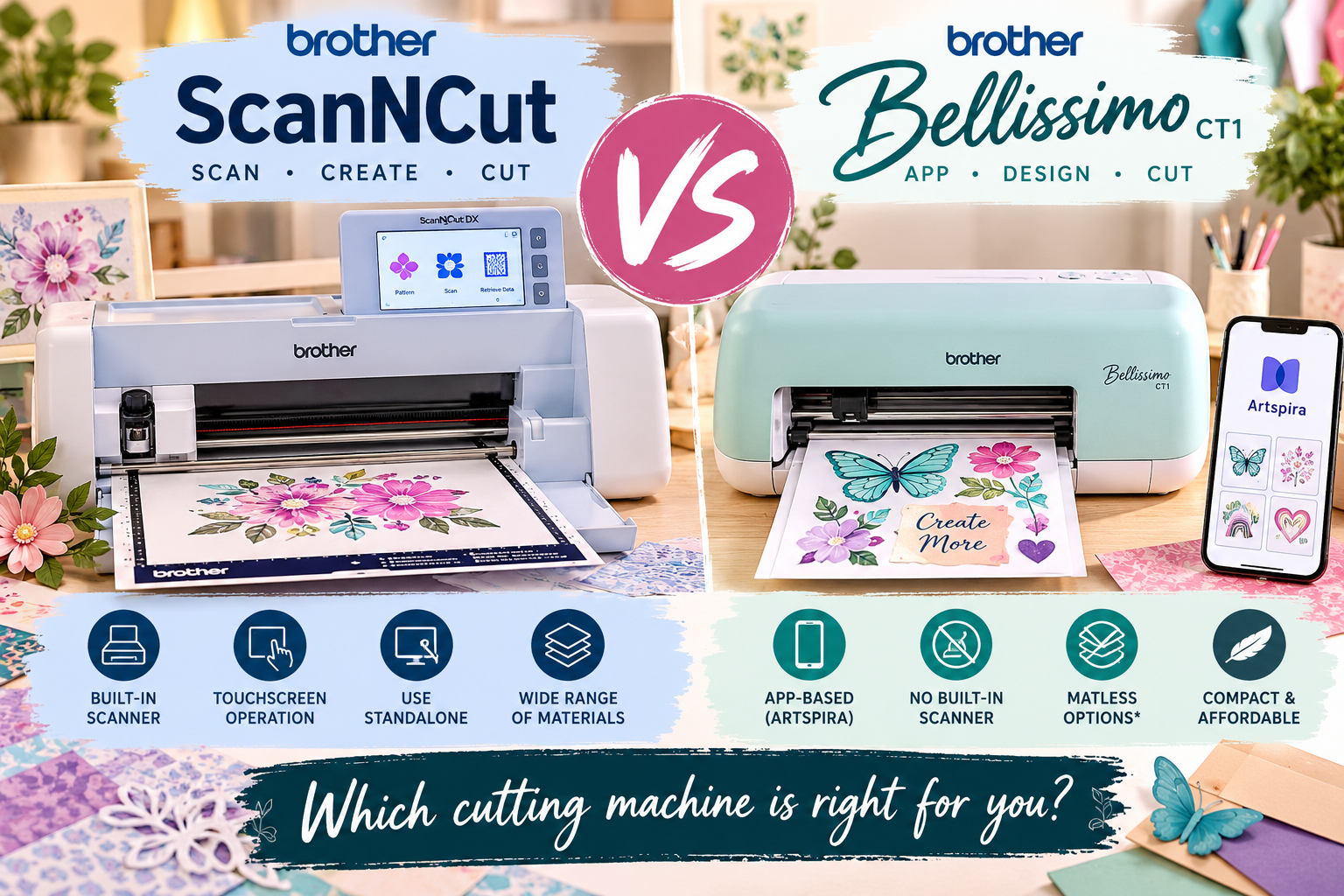
6. What about the Brother Bellissimo?
Brother has also introduced the Bellissimo CT1, offering a compact, Artspira-controlled cutting experience.
However, Bellissimo has no built-in scanner or printer.
That means the three machines occupy somewhat different positions.
Bellissimo offers a lower-cost, mobile-focused cutting workflow.
ScanNCut DX offers scanning, standalone operation and established cutting capabilities.
xTool C1 combines scanning and cutting with a built-in colour printer, aiming to reduce the number of separate steps required for some projects.
The arrival of both Bellissimo and C1 makes this an especially interesting period for electronic craft cutting.
Rather than a single machine being suitable for everyone, the market is offering increasingly different ways to work.
7. Should ScanNCut owners consider switching?
I wouldn’t rush to replace an existing ScanNCut.
If your machine already handles your projects reliably, the arrival of a new competitor doesn’t make it obsolete.
ScanNCut still offers important benefits, particularly its standalone operation, scanning functions and familiarity to existing users.
Where the C1 becomes particularly interesting is for crafters who frequently combine printed artwork with intricate cutting. Especially those who work creating shaped stickers and need accurate alignment for their cuts.
If the integrated printer produces consistently good results, and the scanner and cutting system prove reliable, the machine could reduce several stages of that workflow.
However, there will be additional considerations.
An integrated printer also means ink cartridges, printer maintenance and potentially different long-term running costs and availability considerations. And if any single component requires servicing, the convenience of combining several functions into one machine may become a disadvantage.
For someone who already owns a good-quality printer and cutter, the benefit may therefore be less dramatic than it first appears.
8. The questions we want answered before recommending it
At Go Create Craft, there are several things we’ll be watching closely as the C1 reaches customers:
- Scanning accuracy: Can it handle stamped images and intricate artwork as effectively as ScanNCut?
- Print quality: Is the output suitable for detailed cardmaking, scrapbooking and journalling?
- Material compatibility: How does it perform with different papers, speciality cardstock and fabric?
- Running costs: How much will replacement ink, blades and consumables cost?
- Software flexibility: Can experienced designers use their existing artwork without unnecessary restrictions?
- Ease of use: Does combining three functions genuinely save time for everyday craft projects?
- Reliability: How well does the integrated system perform over repeated projects?
These are the questions that will determine the machine’s real value once we can move beyond launch demonstrations.
Our verdict: A genuine challenge, but not a ScanNCut replacement yet
The xTool C1 is one of the more interesting new developments in electronic craft cutting because it challenges the traditional separation between designing, printing, scanning and cutting. Its integrated approach has obvious potential for stickers, printed embellishments, journalling supplies and customised papercraft projects. It could also put pressure on other manufacturers to rethink how their machines work alongside printers and scanners.
But a promising specification sheet is not the same as proven performance.
ScanNCut’s advantage has never been the scanner alone. It is the way scanning, editing and cutting work together, directly on the machine.
The C1 will need to demonstrate an equally dependable workflow while delivering the additional convenience of colour printing.
If it succeeds, it could become a serious contender for papercrafters.
For now, it is a machine worth investigating rather than a reason to abandon the cutting equipment you already own.
And we’ll be watching with considerable interest.
This article is based on manufacturers’ published specifications and launch information available on 20 October 2026. We have not independently tested the xTool C1. Prices, features and availability may change.